
Internal linking used to make me overthink. Then I stopped treating it like a science project and started using 3 simple rules. Here’s what actually works, no tech jargon required.
Let me confess something that might sound strange coming from someone who’s been blogging since 2002.
I ignored internal linking for years.
Not because I didn’t know it mattered. I knew. Every SEO guide screamed about it. But every time I tried to “strategically implement internal links,” I’d open my blog, stare at old posts, and feel like I was doing a puzzle where all the pieces were the same color. Which post links where? How many links is too many? Am I supposed to plan this in a spreadsheet like some kind of architect?
I’d close the laptop. The links never happened.
Then I lost my entire blog to a hack and had to rebuild from zero posts. That fresh start forced me to simplify everything — including internal linking. I stripped it down to something so simple I could do it in 10 minutes per post, no spreadsheet required.
And here’s the thing: it worked. Posts started ranking for keywords I hadn’t intentionally targeted. Old content came back to life. Google seemed to finally understand what my blog was about.
This guide isn’t for SEO pros. It’s for people like me — who’d rather write than link, who hate technical overcomplication, and who just want a system that works without a headache.
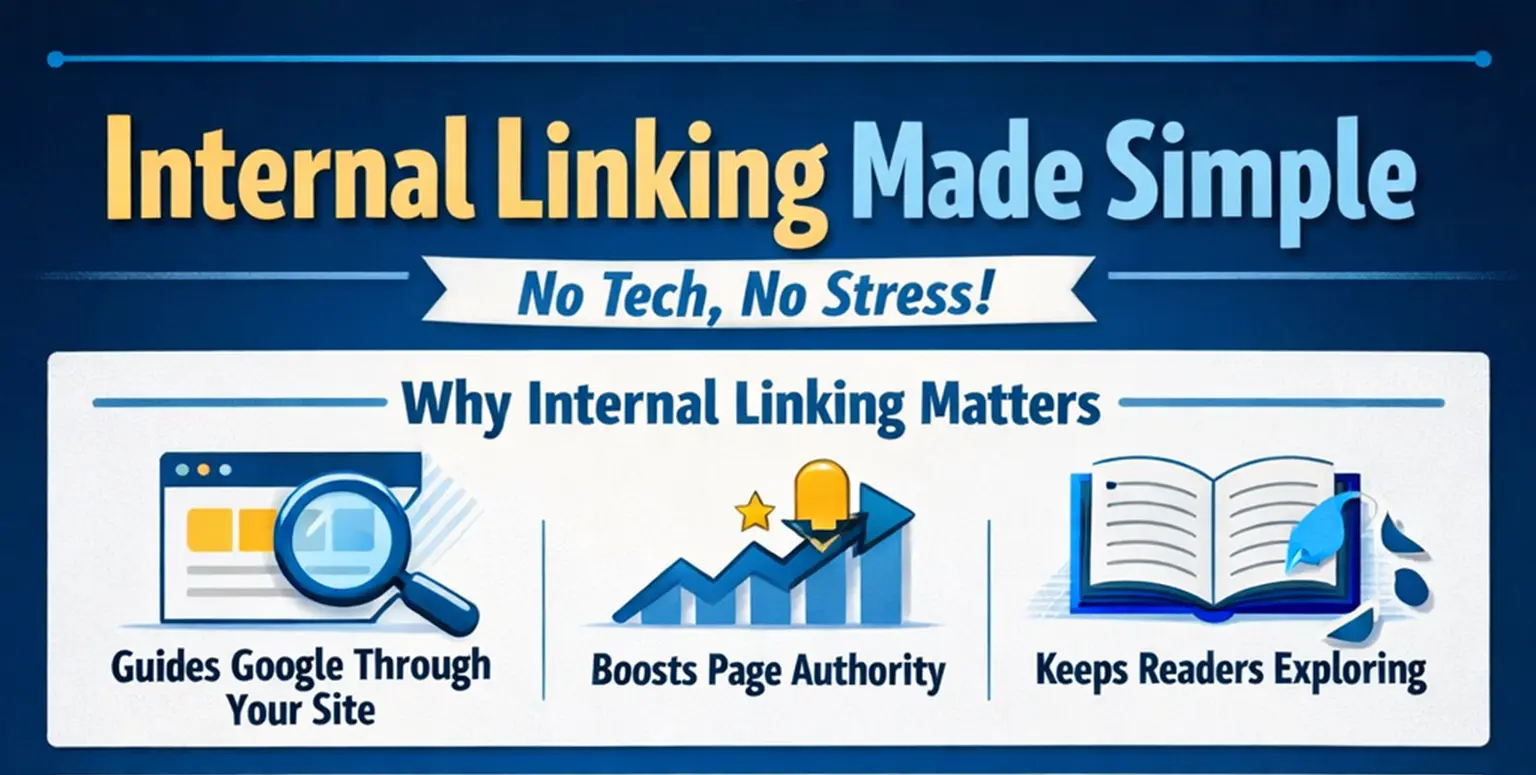
Why Internal Linking Matters (The Non-Technical Version)
Imagine Google as a visitor who enters your blog through one post, then tries to figure out what else you write about. If there are no links, they leave. If there are links, they explore. The more they explore, the more they understand your expertise.
Internal linking does three simple things:
- It tells Google which posts are connected (so it understands your niche)
- It passes authority from strong posts to weaker ones (so newer posts get a head start)
- It keeps real humans on your blog longer (because they click through to related content)
That last one matters more than any algorithm. I’ve had readers email me saying, “I came for one post and ended up reading five.” That doesn’t happen if you don’t give them somewhere to go next.
Why Most Bloggers Overcomplicate This
I used to think internal linking required:
- A complete content audit
- A keyword-to-URL mapping spreadsheet
- Strategic pillar-cluster architecture planning
- Exact-match anchor text ratios
I’m exhausted just typing that. You don’t need any of it to start. What you need is a blog with published posts and a willingness to connect them naturally. That’s it.
The bloggers who benefit most from internal linking aren’t the ones with complex systems. They’re the ones who simply do it — consistently, even imperfectly.
The 3 Simple Rules I Now Use (No Spreadsheet Needed)
After overthinking internal linking for over a decade, I boiled it down to three rules. They’re so basic you’ll wonder if you’re missing something. You’re not.
Rule 1: Link When You Mention a Topic You’ve Already Covered
This is the easiest rule and the one I use most. When I’m writing a new post and I reference something I’ve already explained in detail, I link to it.
Example: In this guide, I’ve written a full post about how to write one post that ranks for 20+ keywords. If I mention that strategy here, I link to it instead of re-explaining it. This does two things — it keeps this post focused, and it sends curious readers deeper into the blog.
The key phrase here is “I’ve already written about.” If you’ve covered it before, link to it. No strategic overthinking required.
Rule 2: Every New Post Gets 2-3 Links to Older Posts, Every Older Post Gets 1 Link Back
This is my minimum, not my maximum. When I publish something new, I find 2-3 older posts that are genuinely relevant and link to them within the content. Not at the bottom in a “related posts” section — inside the natural flow of writing.
Then I open those older posts and add one link each pointing back to the new post. This takes maybe 5 minutes total. But it ensures no post sits isolated. Everything connects to something.
If a post is brand new and doesn’t have older siblings yet, I come back to it 30 days later and add links forward. Thirty days is usually enough to have published something related.
Rule 3: Use Descriptive Anchor Text, But Don’t Obsess Over Exact Matches
Anchor text just means the clickable words you use for the link. In the past, SEO advice made this stressful — exact match, partial match, branded, generic, diversify or get penalized.
Here’s my actual approach now: I use whatever words naturally tell the reader what they’ll find if they click. Sometimes that’s the exact title of the post. Sometimes it’s a phrase like “I already wrote about that here.” Sometimes it’s just “this guide.”
Google is smart enough now to understand context. If the surrounding sentence makes it clear what the linked post covers, you don’t need to cram a perfect keyword into every anchor text. Write for humans. The algorithm will follow.
A 5-Minute Linking Session Looks Like This
Let me walk you through exactly what I do, in real time, when I finish a draft.
- I read the draft once slowly, looking for phrases where I think: “I’ve written about this before, haven’t I?” Those become links to older posts.
- I open my blog archives in another tab, sorted by category, and scan the titles. If something jumps out as related, I find a natural place to mention it in the draft. This takes 2 minutes.
- I pick 2 older posts that are closest in topic to this new one, open them, and insert one sentence each that references the new post and links to it. I don’t overthink the sentence. Something like “I later wrote about [new topic] in more detail — you can read that here” works fine.
- I publish. No spreadsheets. No maps. No ratios. Just connected content.
If I do this for every post, after 20 posts my blog has a natural, dense web of links that grew organically rather than being planned from orbit.
What About “Orphan Pages”?
Orphan pages are posts with zero internal links pointing to them — no other post on your blog links to them. They’re isolated.
I used to panic about these. Now I just fix them once a month. I open my list of published posts, sort by category, and look at older ones that haven’t been linked to recently. I find a newer, related post and add one link back. Ten minutes once a month keeps my entire archive connected.
Most bloggers have orphan pages not because they’re lazy, but because they forget old content exists. A quick monthly scan solves this without any fancy tools.
How This Connects to Ranking for More Keywords
This is where internal linking gets genuinely exciting — and why it pairs perfectly with the strategy I described in my post about writing one post that ranks for 20+ keywords.
When you link related posts together properly, Google starts seeing your blog as a topical authority rather than a random collection of articles. If I have five posts about solar inverter troubleshooting, and they all link to each other, Google understands I didn’t just write one surface-level piece — I genuinely know this topic deeply.
That’s when the magic happens. Posts start ranking for keywords you didn’t even target, because Google trusts the cluster of content more than a single isolated article. Internal linking is the thread that turns separate posts into a body of work.
What I Still Don’t Do (And Probably Never Will)
- I don’t calculate “link juice” or use tools to measure internal page authority
- I don’t set strict limits on how many links per post (I let the content decide)
- I don’t plan linking architecture before writing (I connect after I publish)
- I don’t use plugins that automatically insert links based on keywords (they always feel robotic to me)
If you enjoy the technical side of internal linking — spreadsheets, heatmaps, crawl depth analysis — go for it. But if you don’t, please know it’s optional. I’ve grown traffic without it. So have plenty of others.
The One Thing That Actually Matters
You’ll hear a lot of rules about internal linking. How many links per 1,000 words. Whether the first link carries more weight. Whether footer links count.
Forget most of it. The one thing that actually matters: Do your links genuinely help the reader find something useful?
If the answer is yes, you’re doing it right. If you’re linking just to link, or you’re forcing connections that don’t make sense, you’re overthinking it. Readers can tell. So can Google.
Start Right Now (Yes, Before You Publish Your Next Post)
Open your most recent post. Read it slowly. Did you mention a topic you’ve covered before? Add a link. Did you brush past something that has a full guide elsewhere on your blog? Link to it.
Then open one older post related to your new one. Add one sentence and one link pointing forward. Publish the new post. You’re done.
It doesn’t need to be harder than that.
And if you’re still worried about the technical side of blogging slowing you down, I wrote a full guide on which SEO tools you actually need — the answer is far fewer than most people think. That might save you more time than anything.
One more thing: If you’ve ever been paralyzed by the fear of doing SEO “wrong” and just ended up doing nothing, you’re not alone. I spent years there. But something changes when you realize that imperfection beats inaction every single time — and internal linking is one of the easiest things to do imperfectly while still getting real results.
Crush your next move — one link at a time, no spreadsheet required.